
Receipt Bank is a brilliant time-saving and cost-cutting add-on to Xero. If you don’t use it already – then take a look at our introduction to Receipt Bank.
If you do use Receipt Bank – here are some top tips on how to be a Productivity Ninja with the Receipt Bank App.
1. DO Make sure the image is clear
 We can’t process the receipt unless all the detail on it is clearly visible. We can’t process the receipt unless all the detail on it is clearly visible.
Check that the image is clear before you click on the bottom bar to submit it for processing!! If you can’t see the details, neither can Receipt Bank or your bookkeeper! |
2. DO Submit one document at a time
 Each receipt is a single transaction in Receipt Bank so submit one transaction at a time please! Each receipt is a single transaction in Receipt Bank so submit one transaction at a time please!
Submissions with multiple receipts will get stuck in Receipt Bank and will need to be manually removed and processed. |
3. DO submit receipts and credit card slips together
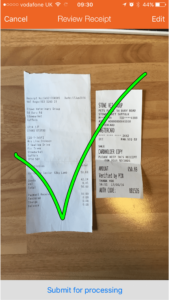 In this case – DO submit two documents together as both of these documents relate to one single transaction. In this case – DO submit two documents together as both of these documents relate to one single transaction.
If you have multiple cards then this will help match the payment to the card or account from which it was paid. |
4. DO make sure to submit the VAT receipt or invoice
 If you are VAT registered then you can only claim the VAT back on the spend if you have the VAT receipt showing the Vat number. If you are VAT registered then you can only claim the VAT back on the spend if you have the VAT receipt showing the Vat number.
This is a credit card slip not a VAT receipt so you can’t prove that the spend was business related – it could have been for anything, and you can’t prove that you paid any VAT on the spend. Orders are also not VAT receipts. They may provide sufficient evidence of a business spend, but they don’t provide enough evidence to be able to reclaim the VAT. Always ask the supplier for the VAT receipt or invoice. Ask at the time of purchase when the transaction is fresh in your mind, and your suppliers. |
5. DO get a VAT receipt from big stores
  If you make business purchases from stores like B&Q, Argos or Tesco for example – you’ll notice that the VAT number is often on the back of the till receipt. If you make business purchases from stores like B&Q, Argos or Tesco for example – you’ll notice that the VAT number is often on the back of the till receipt.
The items starred on the receipt will be VAT inclusive so that will help you identify the VATable items on the receipt. You can also take your receipt to Customer Services and ask them to provide a proper VAT receipt. The Customer Services Agent will make the VAT receipt out to the company which ticks all HMRC boxes and clearly shows the company VAT number and your company name. If there are no starred items on your receipt – say you are buying milk or coffee for the office, then there is no VAT to recover you just need the detailed store receipt to evidence the spend in your accounts. |
6. DO add notes and instructions!
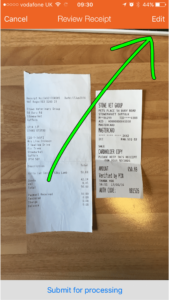 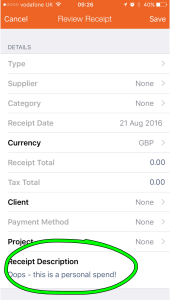 Sometimes mistakes happen – you went out without your personal card and put a personal spend on your business card. Sometimes mistakes happen – you went out without your personal card and put a personal spend on your business card.
Add notes for your bookkeeper (or yourself later!) if you think they would help.
|
7. DO add notes if you want a spend recharged to a client or project
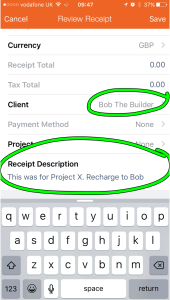 There are some spends you may have incurred on behalf of a client. You can add a note and tag the client that you want the spend recharged to. There are some spends you may have incurred on behalf of a client. You can add a note and tag the client that you want the spend recharged to.
|
8. DO keep detailed records of subsistence and entertainment
 There are different tax rules for each. HMRC will expect you to keep detailed records of any subsistence or entertainment spend to ensure you have accounted for it correctly in your accounts and tax returns: There are different tax rules for each. HMRC will expect you to keep detailed records of any subsistence or entertainment spend to ensure you have accounted for it correctly in your accounts and tax returns:
Subsistence – feeding yourself or staff when you are working away from the office is allowed in your business tax return and you can reclaim the VAT element Staff Entertainment – is allowed for both VAT and business taxes, however could result in a Class 1A Benefit In Kind National Insurance Liability if you spend more than £150 per year per head, entertaining your staff. Business Entertainment – is disallowed in your business tax return and you can’t recover the VAT on the spend. |
9. DO keep your records in order
|
|
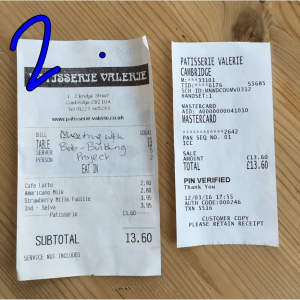

10. DO strike out any personal spends on the receipt
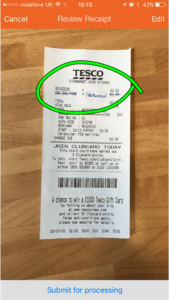 If you are standing at the checkout with business and personal spends – try to put them through separately and get a separate VAT receipt for business expenses and personal expenses. If you are standing at the checkout with business and personal spends – try to put them through separately and get a separate VAT receipt for business expenses and personal expenses.
If you did make a personal spend on a business card – score it out. These can be offset against your expenses account or repaid later.
|
11. An an extra bonus! DO use the Multiple or Combined snap option
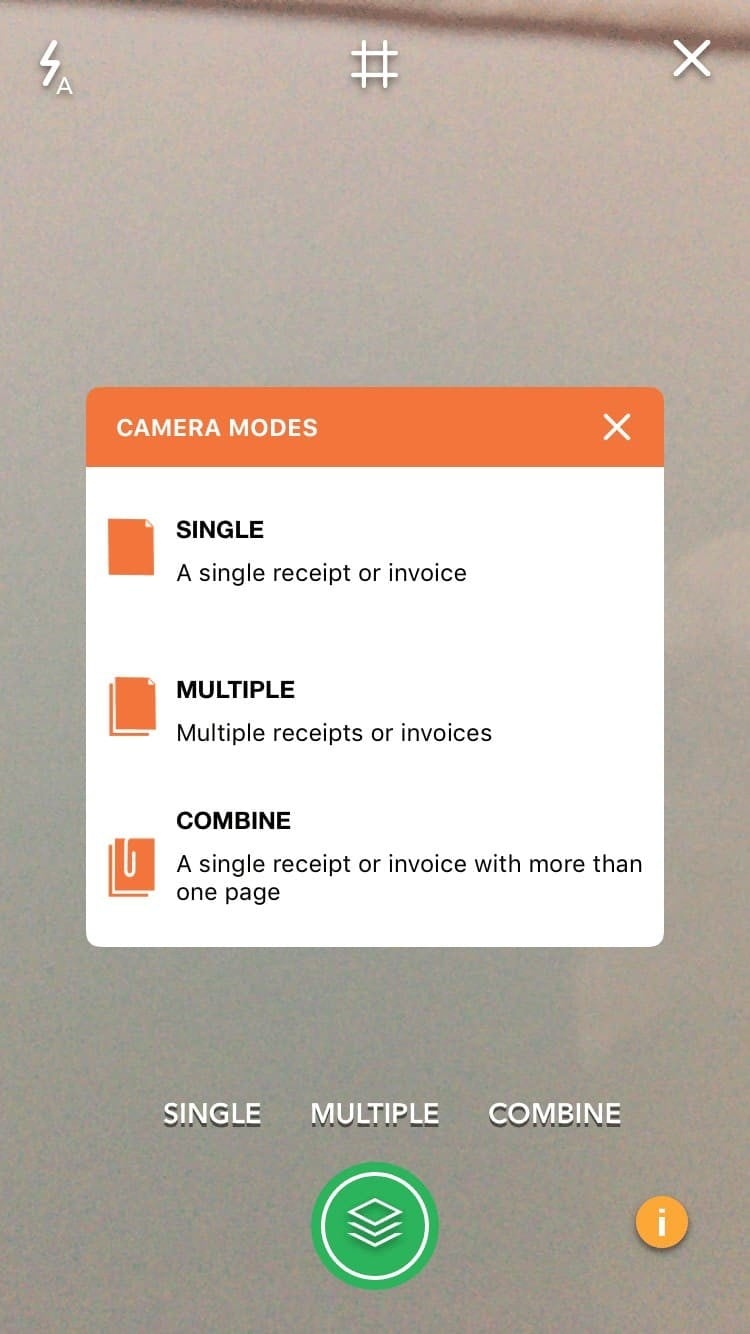
Multiple – If you have a big pile of single page receipts or invoices to add, then you can use the multiple image feature to snap and submit multiple pages. Combine – If you have one invoice with many pages – say a utility bill, a phone bill or perhaps an expenses claim with supporting receipts, then you should use the combine image feature to snap and submit a multiple page document. Snap. snap, snap and submit.
|
So there we have 10+ top tips for getting the best out of the Receipt Bank App – if you have any tips to add, please do let us know!
Great guide! The recommendations for keeping receipt images clear and separate, submitting documents promptly, and annotating expenses really stand out.