If you pay commissions to or buy goods or services from a non-VAT registered supplier, you can use Xero to produce simple self-bill invoices that can be emailed to your supplier with or before payment.
See also:
To save time creating your invoice narrative – you can set up an untracked inventory item for each self-billed supplier so that you can quickly generate a new self-billed invoice quickly. When the item is untracked, no stock is recorded making this a useful feature for creating standard sales or purchase line entries on invoices.
Preparing the invoice in Xero
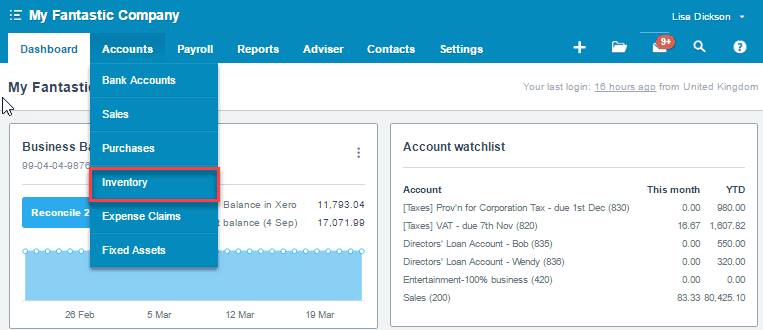
1) Go to Accounts >> Inventory to add a new self-bill inventory item in Xero
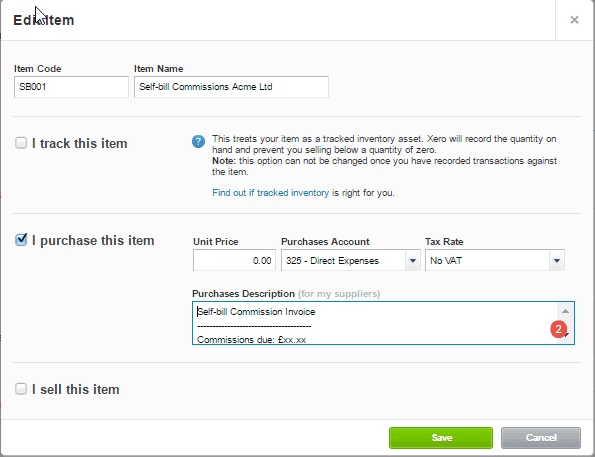
2) Enter the following text into the Purchase Description field. The text should be as simple or as detailed as is appropriate for your transaction.
| SELF-BILL COMMISSION INVOICE —————————————————————————————————–
|
3) Save the new item.
4) Complete your purchase invoice creating a new line for each commission amount payable and approve it.
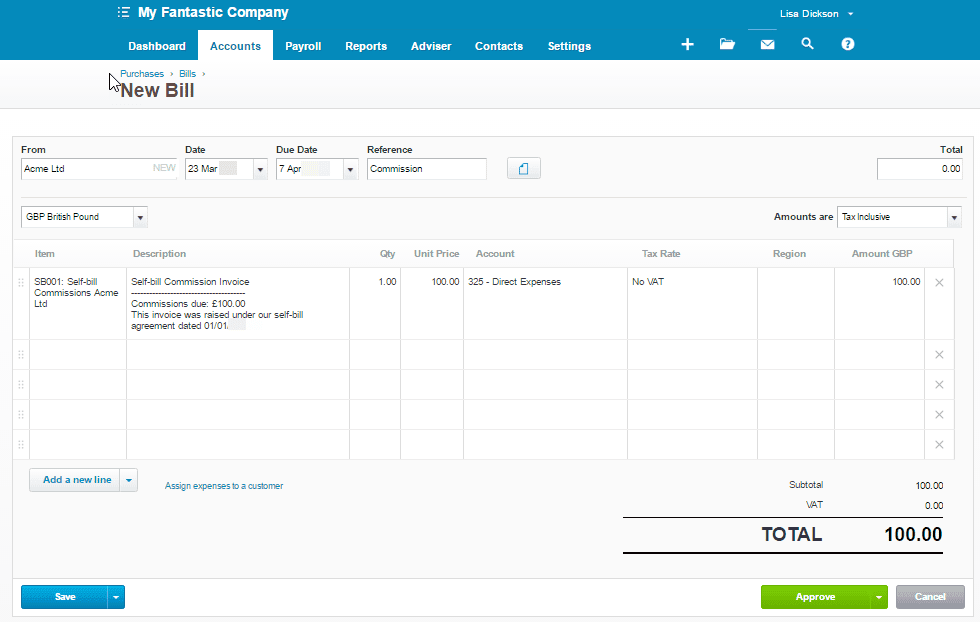
5) Approve the completed invoice
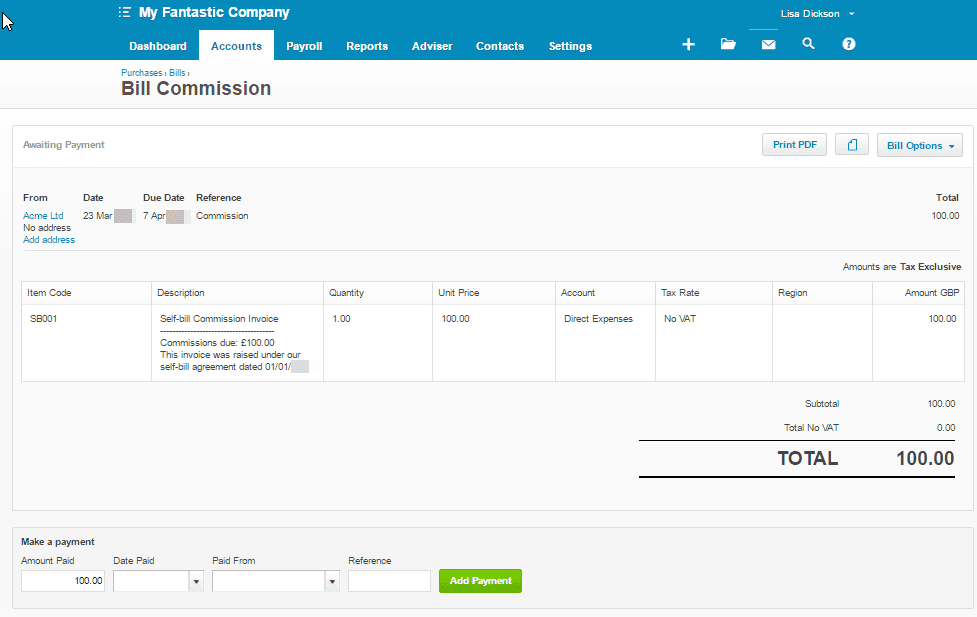
6) Print the PDF invoice and send a copy to your supplier. (You will note that this document prints with a comment ‘This is not a tax invoice’ at the bottom of the page – this is what makes this function (without cropping the document!) unsuitable for self-billed VAT invoices – these need to be raised outside of Xero and entered manually.)

0 Comments